Feedback and Mutation Design
This page covers the operational workflow from raw player comments to delta design updates.
Step 1: Connect a Feedback Source
Attach a feedback endpoint or API link in project release data so Arcane Forge can retrieve player comments.
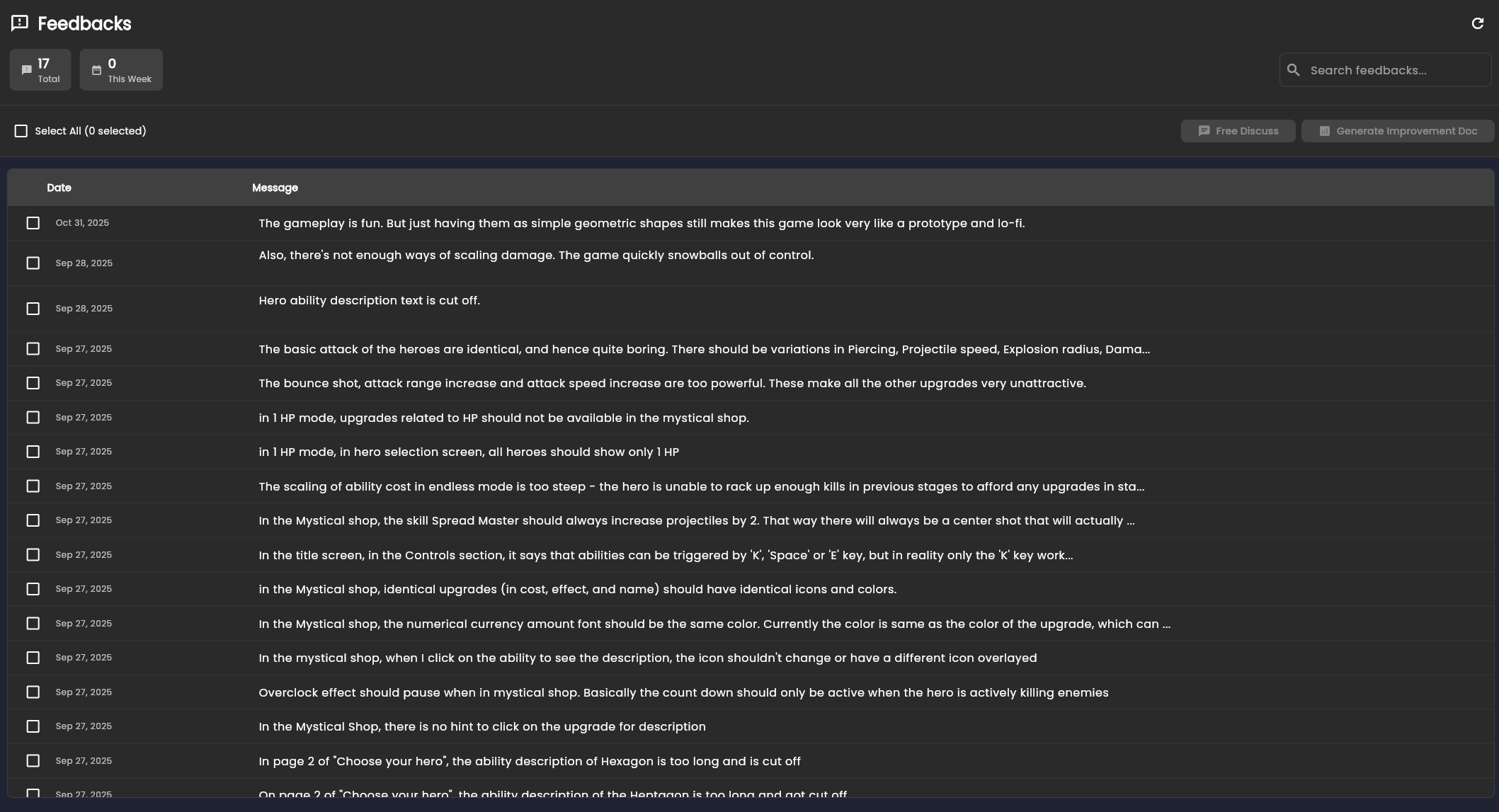
Step 2: Review Player Comments
Use the comments list to inspect raw player voice before analysis.
Step 3: Choose Analysis Mode
Assisted discussion:
- Select comments
- Send to Design Assistant
- Ask targeted product questions
Automated analysis:
- Run full clustering and synthesis
- Produce opportunities and candidate mutations
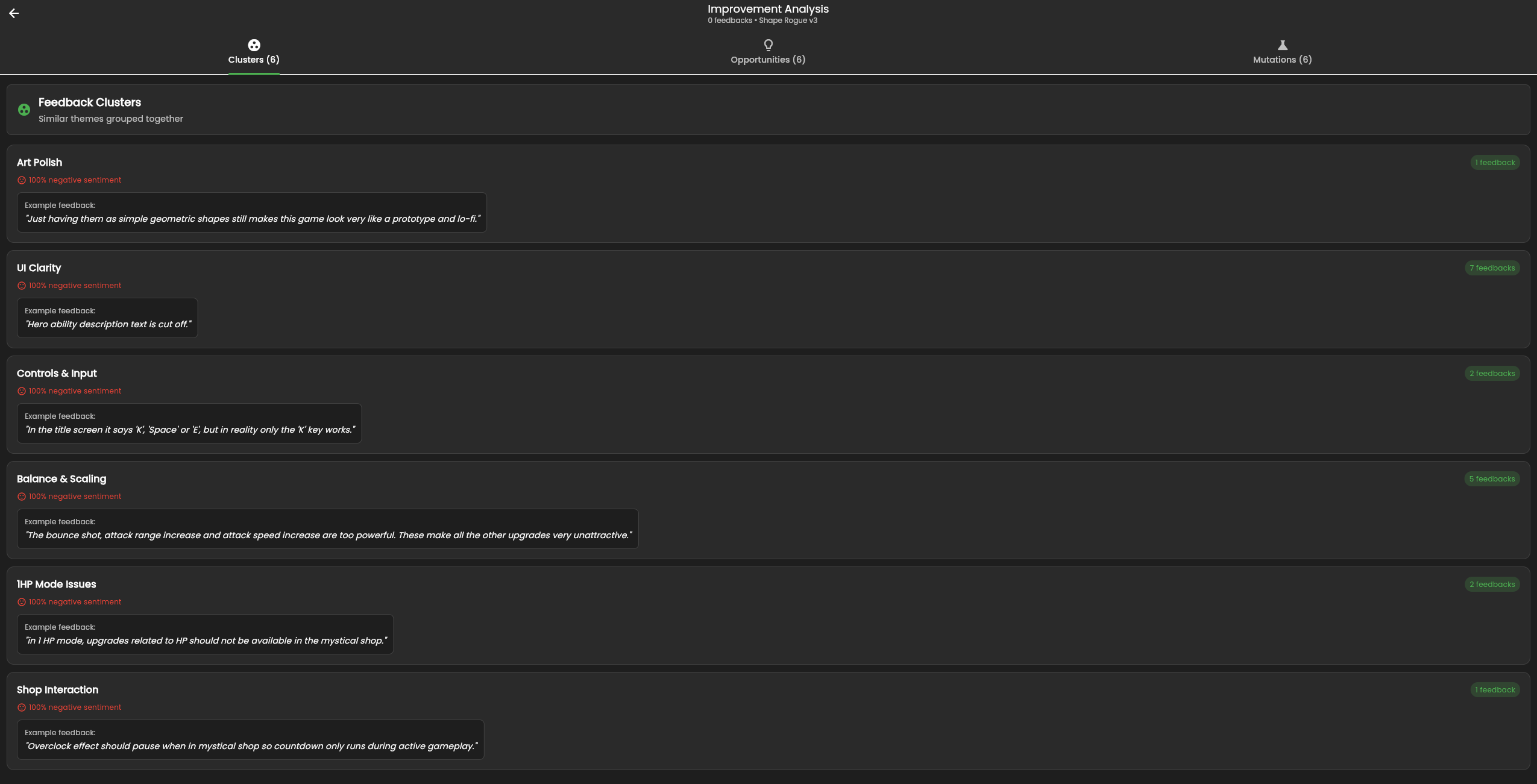
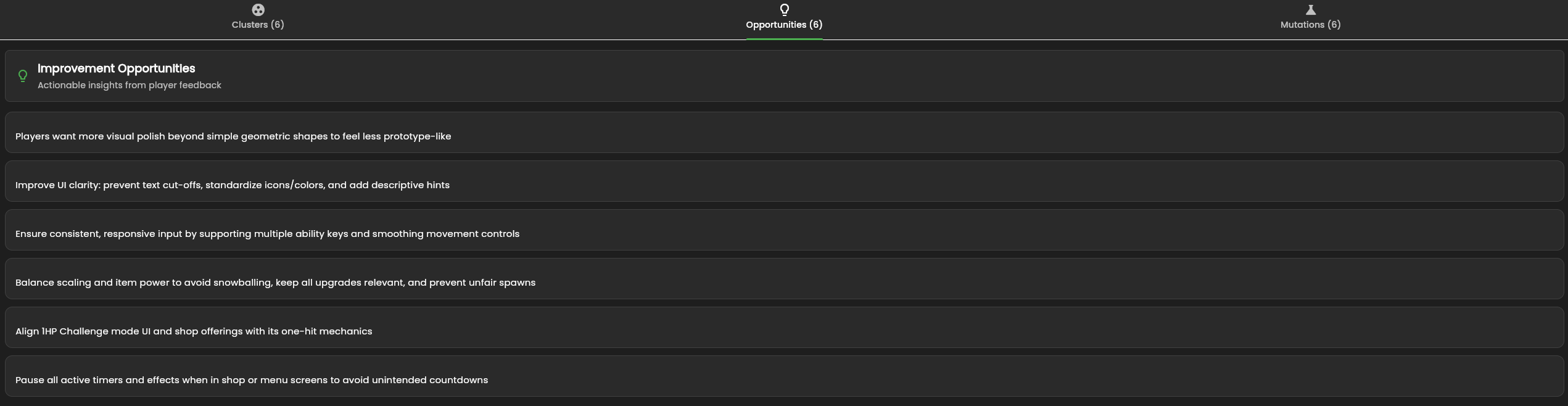
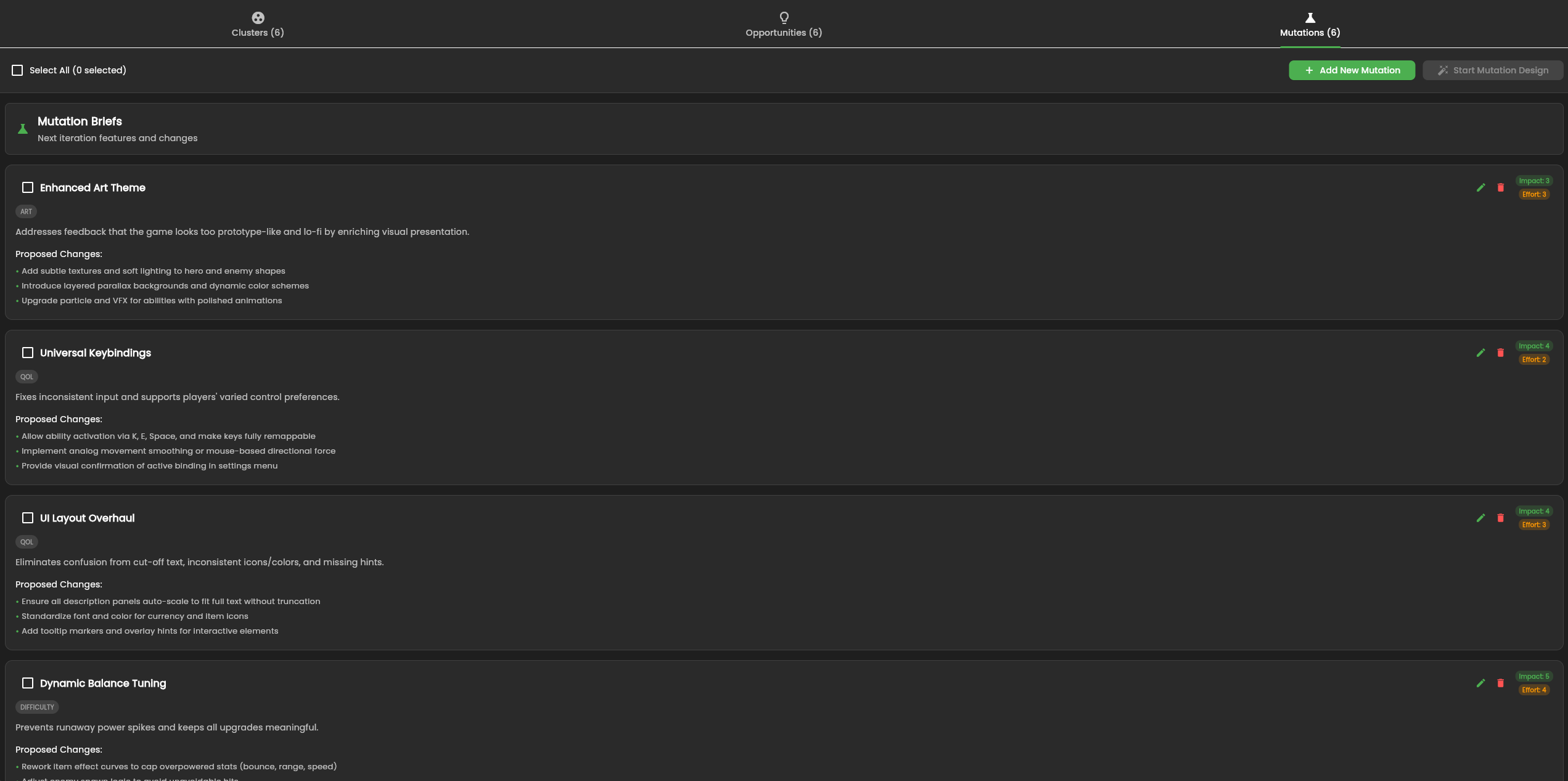
Step 4: Review Clusters and Opportunities
Automated analysis should produce:
- Feedback clusters by problem area
- Actionable opportunities
- Proposed mutations with impact and effort
Step 5: Generate Delta GDD
Select the mutations you want, then open a mutation design session to generate delta GDD updates. Review and save accepted changes into the Knowledge Base.
Loop Closure
Use the updated design to drive the next implementation cycle:
Feedback -> Analysis -> Design Change -> Build -> Release
Next: Build Your First Game