Projects and Collaboration
A project is the core unit of work in Arcane Forge. It keeps design, implementation, assets, and iteration connected for one game.
What a Project Is
Use this mental model:
- One project = one game, or one serious experiment
- Projects are long-lived and iterative
- AI tools operate within project context, not isolated chats
Why Project-Scoped Context Matters
Project boundaries reduce context drift. With project-scoped workflows:
- AI can reference prior decisions
- Generated outputs remain connected to intent
- Teams reuse knowledge instead of rewriting prompts
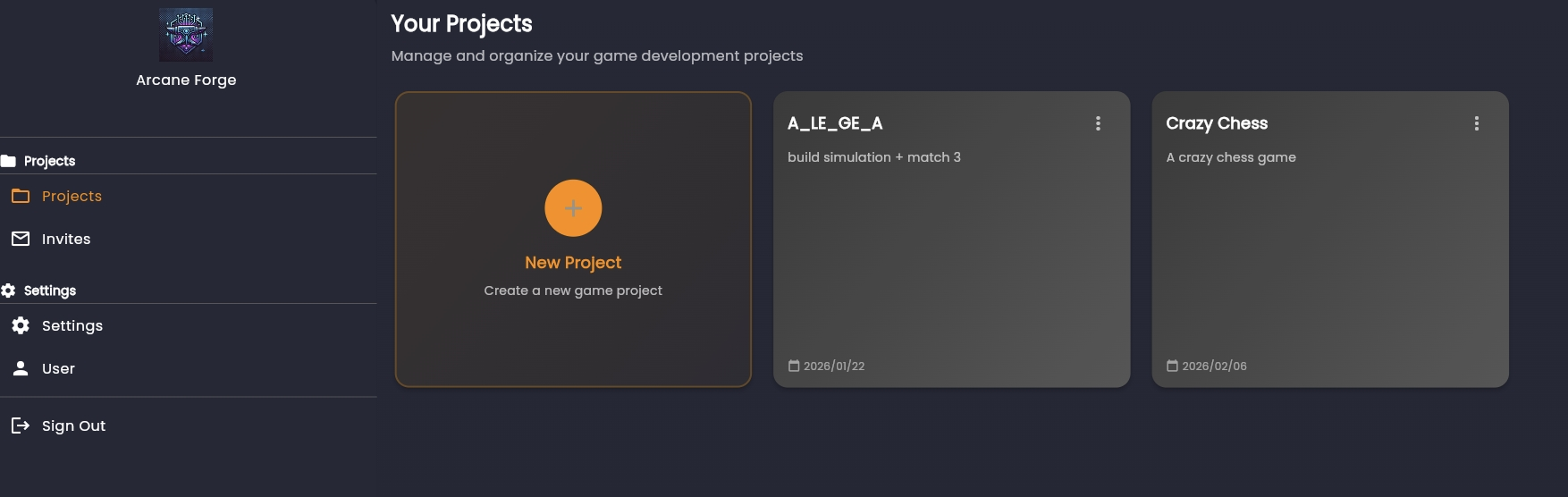
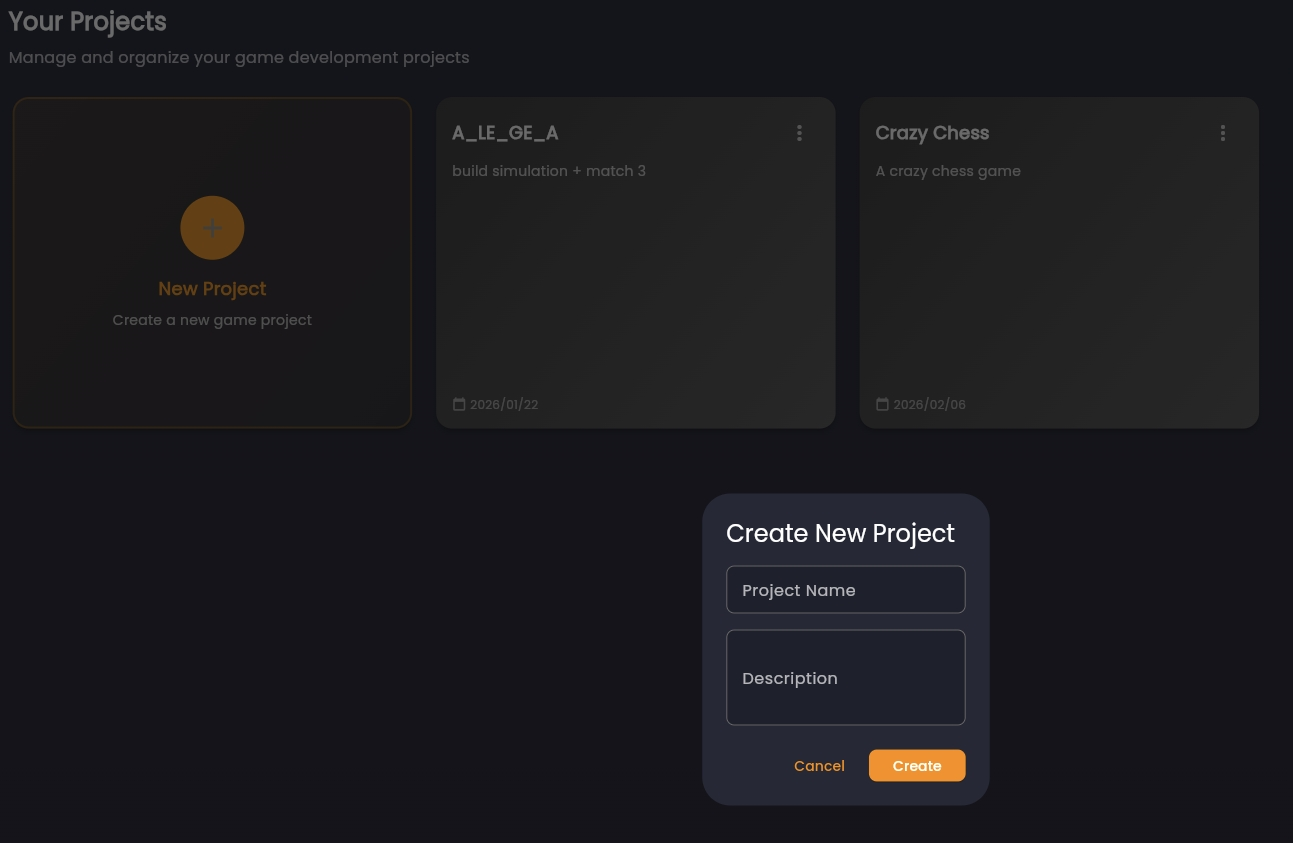
Creating a Project
Create a new project from the Projects dashboard with:
- Project name
- Project description
Ownership and Permissions
Each project has one owner. By default:
- Owner invites collaborators
- Owner manages membership and permissions
Keep ownership explicit so accountability is clear.
Invite Flow
From the project menu:
- Open Team Members
- Invite collaborators by email
- Collaborator accepts from the Invites page
Collaboration Hygiene
Recommended operating practices:
- Keep one clear game objective per project
- Save major design decisions to the Knowledge Base
- Use short, scoped design conversations for better AI precision
- Treat project context as the source of truth
Next: Project Home and Context